报告与自定义 Reporter
内置V8报告(仅V8格式数据支持):
v8
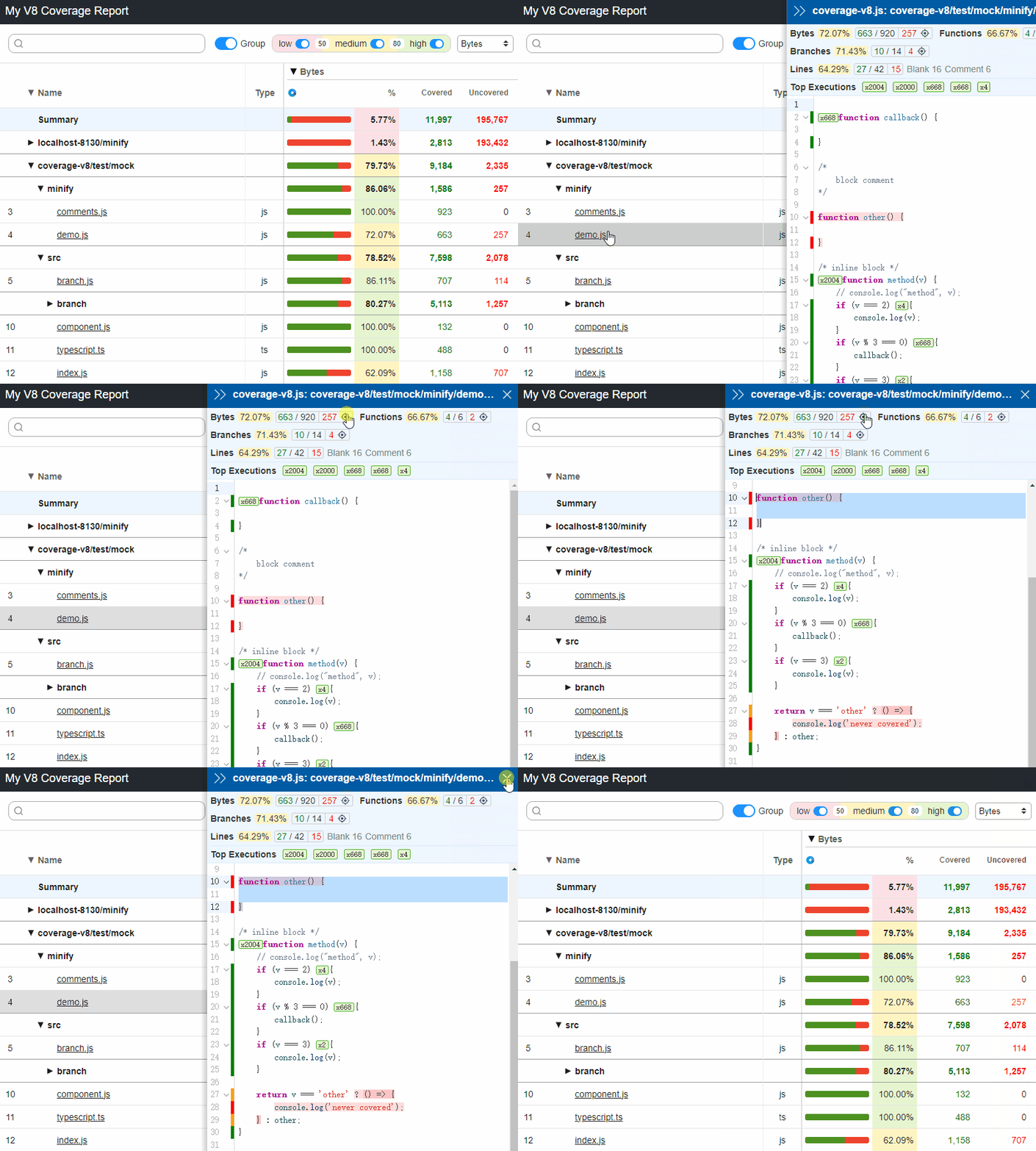
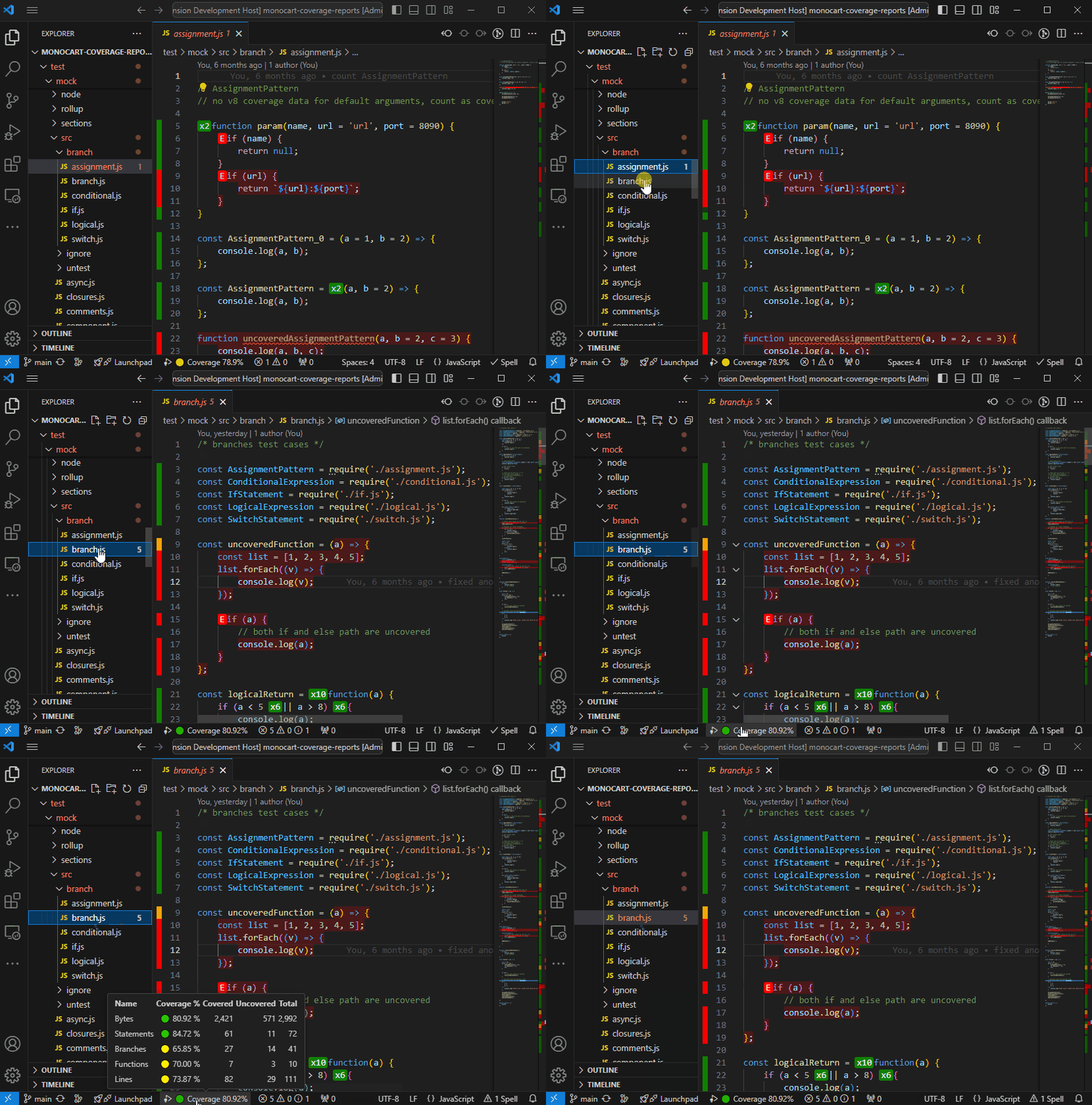
v8-json- 保存
CoverageResults到一个json文件 (默认是coverage-report.json) - 用于VSCode扩展来显示原生V8代码覆盖率: Monocart Coverage for VSCode
- 保存
内置Istanbul报告 (V8和Istanbul格式数据都支持):
clovercoberturahtmlhtml-spajsonjson-summarylcovlcovonlynoneteamcitytexttext-lcovtext-summary
其他内置报告 (V8和Istanbul格式数据都支持):
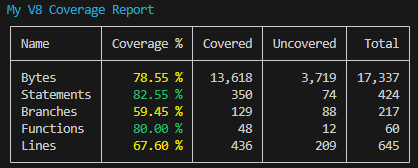
codacy保存覆盖率数据到 Codacy 专属的json文件 (默认是codacy.json)console-summary在控制台显示覆盖率概要
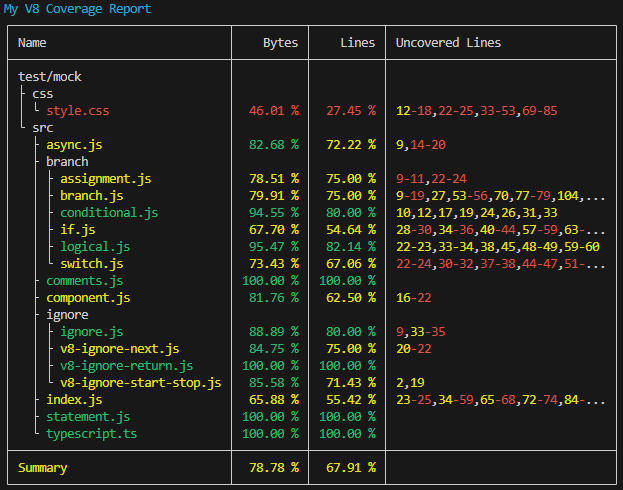
console-details在控制台显示每个文件的覆盖率概要。如果是Github actions,可以使用环境变量FORCE_COLOR: true来强制开启颜色支持
markdown-summary保存概要信息到markdown文件 (默认是coverage-summary.md)。 如果是Github actions, 可以把markdown的内容添加到a job summary
sh
cat path-to/coverage-summary.md >> $GITHUB_STEP_SUMMARY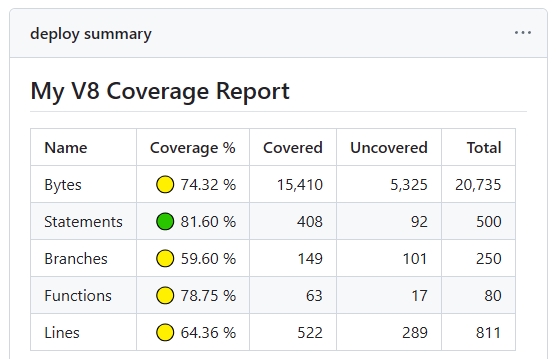
markdown-details保存覆盖率详情到markdown文件 (默认是coverage-details.md)- 预览运行结果 runs
raw只是保存原始覆盖率数据, 用于使用inputDir参数来导入多个原始数据进行合并报告。参见 合并覆盖率报告自定义报告
jsconst coverageOptions = { reports: [ [path.resolve('./test/custom-istanbul-reporter.js'), { type: 'istanbul', file: 'custom-istanbul-coverage.text' }], [path.resolve('./test/custom-v8-reporter.js'), { type: 'v8', outputFile: 'custom-v8-coverage.json' }], [path.resolve('./test/custom-v8-reporter.mjs'), { type: 'both' }] ] };- Istanbul自定义报告
例子: ./test/custom-istanbul-reporter.js, see istanbul built-in reporters' implementation for reference.
- V8自定义报告
type选项决定报告接口及执行时机:'istanbul'— 使用 Istanbul 报告接口:先调用new Reporter(reportOptions),再调用execute(context)。context 提供 Istanbul 报告树和源码查找能力。V8 输入会先转换为 Istanbul 覆盖率数据。'v8'(默认值)— 对 V8 输入,先调用new Reporter(reportOptions, globalOptions),再调用await generate(reportData)。reportData是 V8 覆盖率结果,包含type、summary和files;每个文件包含 V8 覆盖范围和汇总。'both'— 对 V8 或 Istanbul 输入均使用上述generate(reportData)接口。请检查reportData.type,按对应的结果结构处理。它不会同时提供两份原始格式的数据,结果中不存在v8Data或istanbulData属性。
报告统一使用原生 ESM
import()加载。ESM 报告使用export default Reporter;通过 Node 内置互操作,也可加载module.exports = Reporter的 CommonJS 报告(在 ESM 项目中使用.cjs)。本地路径必须明确指定文件扩展名,不补全扩展名、不解析目录入口,不提供独立的 CommonJS 加载器。报告加载或初始化失败会使报告生成失败,不会静默跳过。
Multiple Reports:
如何配置多个报告
js
import { MCR } from 'monocart-coverage-reports';
const coverageOptions = {
    outputDir: './coverage-reports',
    reports: [
        // built-in reports
        ['console-summary'],
        ['v8'],
        ['html', {
            subdir: 'istanbul'
        }],
        ['json', {
            file: 'my-json-file.json'
        }],
        'lcovonly',

        // custom reports
        // Specify reporter name with the NPM package
        ['custom-reporter-1'],
        ['custom-reporter-2', {
            type: 'istanbul',
            key: 'value'
        }],
        // Specify reporter name with local path
        ['/absolute/path/to/custom-reporter.js']
    ]
};
const mcr = MCR(coverageOptions);