Reports and custom reporters
V8 built-in reports (V8 data only):
v8
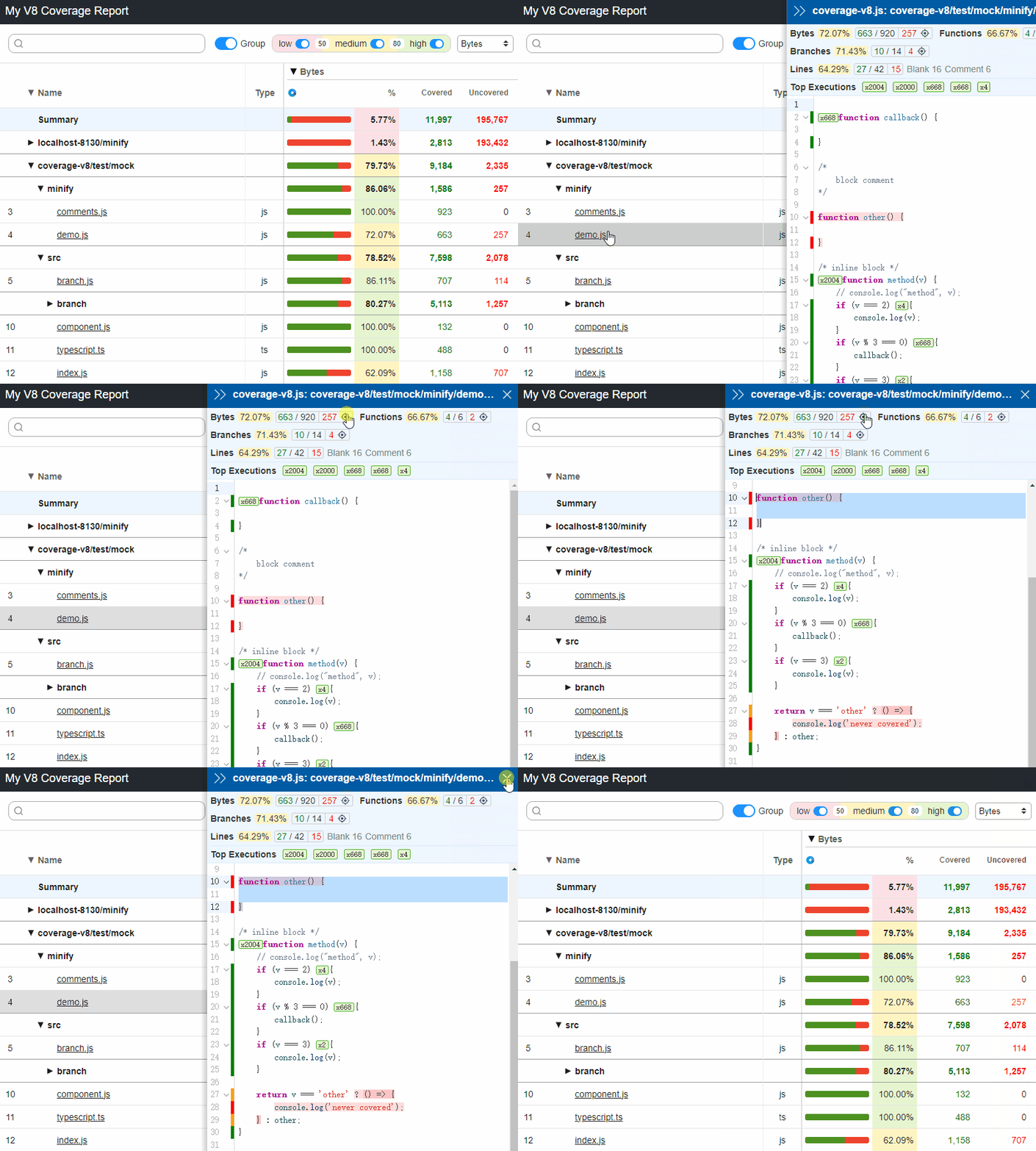
v8-json- Save
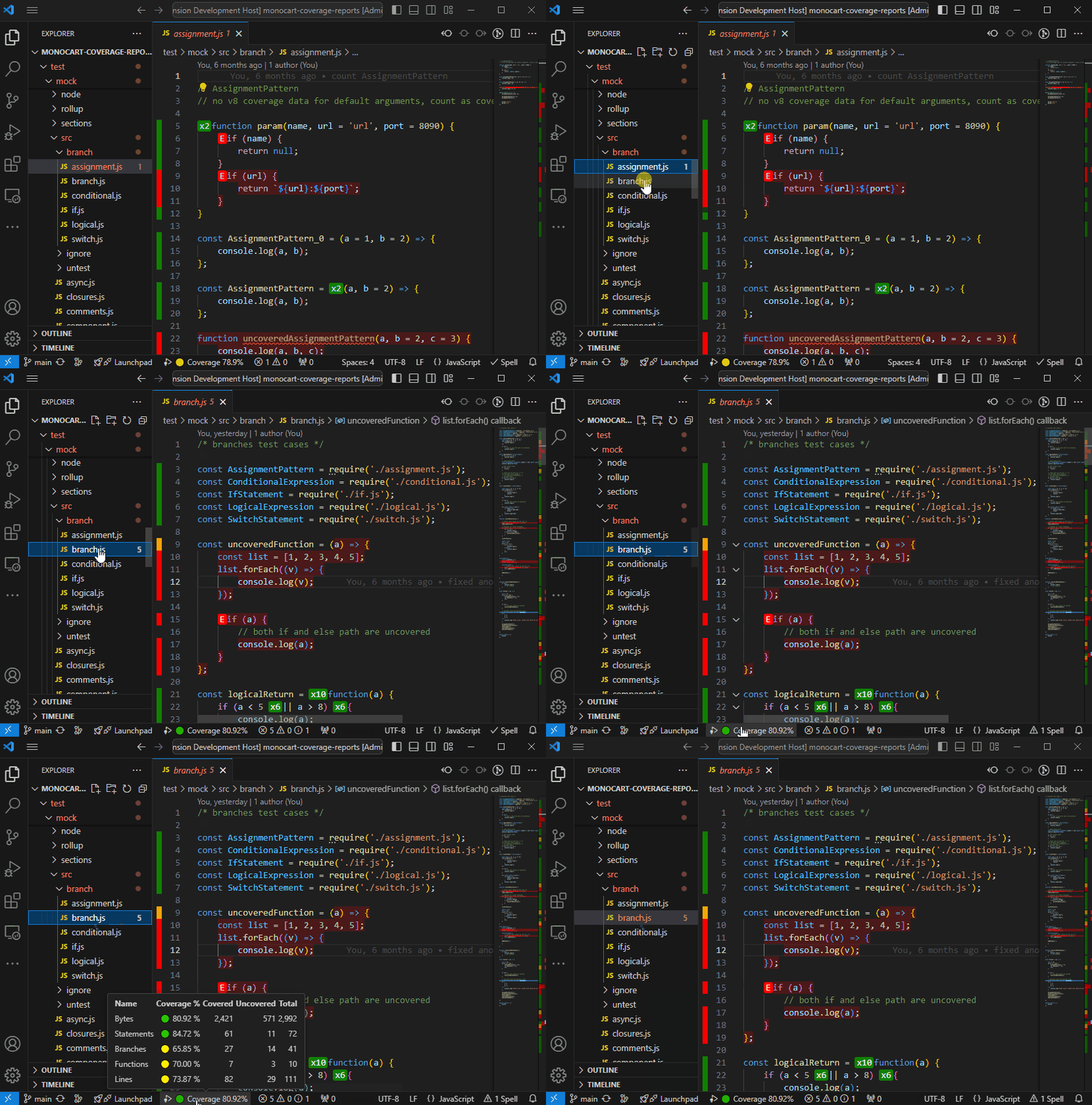
CoverageResultsto a json file (defaults tocoverage-report.json). - Shows native V8 code coverage with VSCode extension: Monocart Coverage for VSCode
- Save
Istanbul built-in reports (both V8 and Istanbul data):
clovercoberturahtmlhtml-spajsonjson-summarylcovlcovonlynoneteamcitytexttext-lcovtext-summary
Other built-in reports (both V8 and Istanbul data):
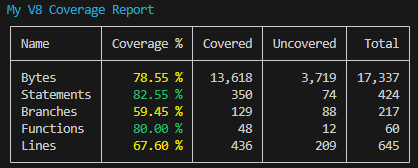
codecovSave coverage data to a json file with Codecov format (defaults tocodecov.json), see example.codacySave coverage data to a json file with Codacy API format (defaults tocodacy.json).console-summaryshows coverage summary in the console.
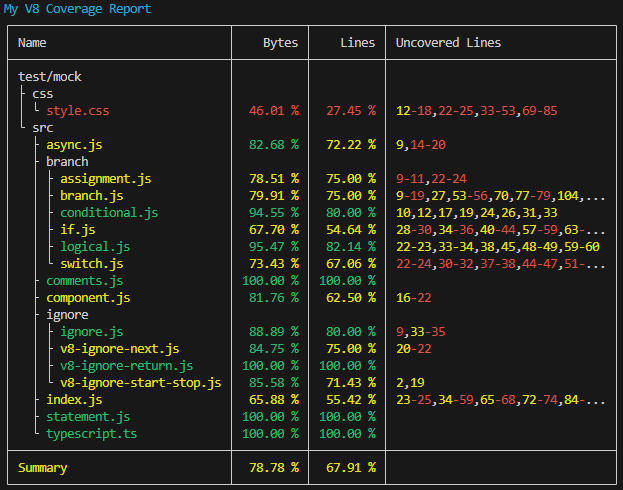
console-detailsShow coverage details in the console. Liketext, but for V8. For Github actions, we can enforce color with env:FORCE_COLOR: true.
markdown-summarySave coverage summary to a markdown file (defaults tocoverage-summary.md). For Github actions, we can show the markdown content to a job summary
cat path-to/coverage-summary.md >> $GITHUB_STEP_SUMMARY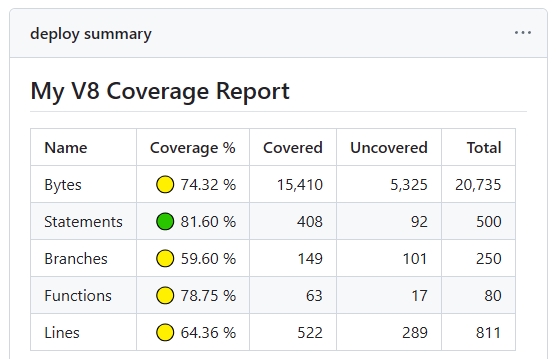
markdown-detailsSave coverage details to a markdown file (defaults tocoverage-details.md).- Preview in runs
rawonly keep all original data, which can be used for other reports input withinputDir. see Merge Coverage ReportsCustom Reporter
jsconst coverageOptions = { reports: [ [path.resolve('./test/custom-istanbul-reporter.js'), { type: 'istanbul', file: 'custom-istanbul-coverage.text' }], [path.resolve('./test/custom-v8-reporter.js'), { type: 'v8', outputFile: 'custom-v8-coverage.json' }], [path.resolve('./test/custom-v8-reporter.mjs'), { type: 'both' }] ] };- Istanbul custom reporter
example: ./test/custom-istanbul-reporter.js, see istanbul built-in reporters' implementation for reference.
- V8 custom reporter
example: ./test/custom-v8-reporter.js
The
typeoption selects the reporter interface and when it runs:'istanbul'— uses the Istanbul reporter interface:new Reporter(reportOptions)followed byexecute(context). The context provides Istanbul report trees and source lookup. V8 input is converted to Istanbul coverage first.'v8'(default) — usesnew Reporter(reportOptions, globalOptions)followed byawait generate(reportData)for V8 input.reportDatais the V8 coverage result, withtype,summaryandfiles; each file contains V8 ranges and summaries.'both'— uses the samegenerate(reportData)interface for either V8 or Istanbul input. CheckreportData.typeto handle the corresponding result structure. This does not supply both raw formats together; there are nov8DataoristanbulDataproperties.
Reporters are loaded with native ESM
import(). Useexport default Reporterfor ESM; Node's built-in interoperability also accepts CommonJSmodule.exports = Reporter(use.cjsinside an ESM project). Local paths must include the file extension; extensionless paths and directory entries are not resolved. No separate CommonJS loader is provided. Reporter loading and initialization errors reject report generation instead of silently skipping the reporter.
Multiple Reports:
import { MCR } from 'monocart-coverage-reports';
const coverageOptions = {
    outputDir: './coverage-reports',
    reports: [
        // built-in reports
        ['console-summary'],
        ['v8'],
        ['html', {
            subdir: 'istanbul'
        }],
        ['json', {
            file: 'my-json-file.json'
        }],
        'lcovonly',

        // custom reports
        // Specify reporter name with the NPM package
        ['custom-reporter-1'],
        ['custom-reporter-2', {
            type: 'istanbul',
            key: 'value'
        }],
        // Specify reporter name with local path
        ['/absolute/path/to/custom-reporter.js']
    ]
};
const mcr = MCR(coverageOptions);